


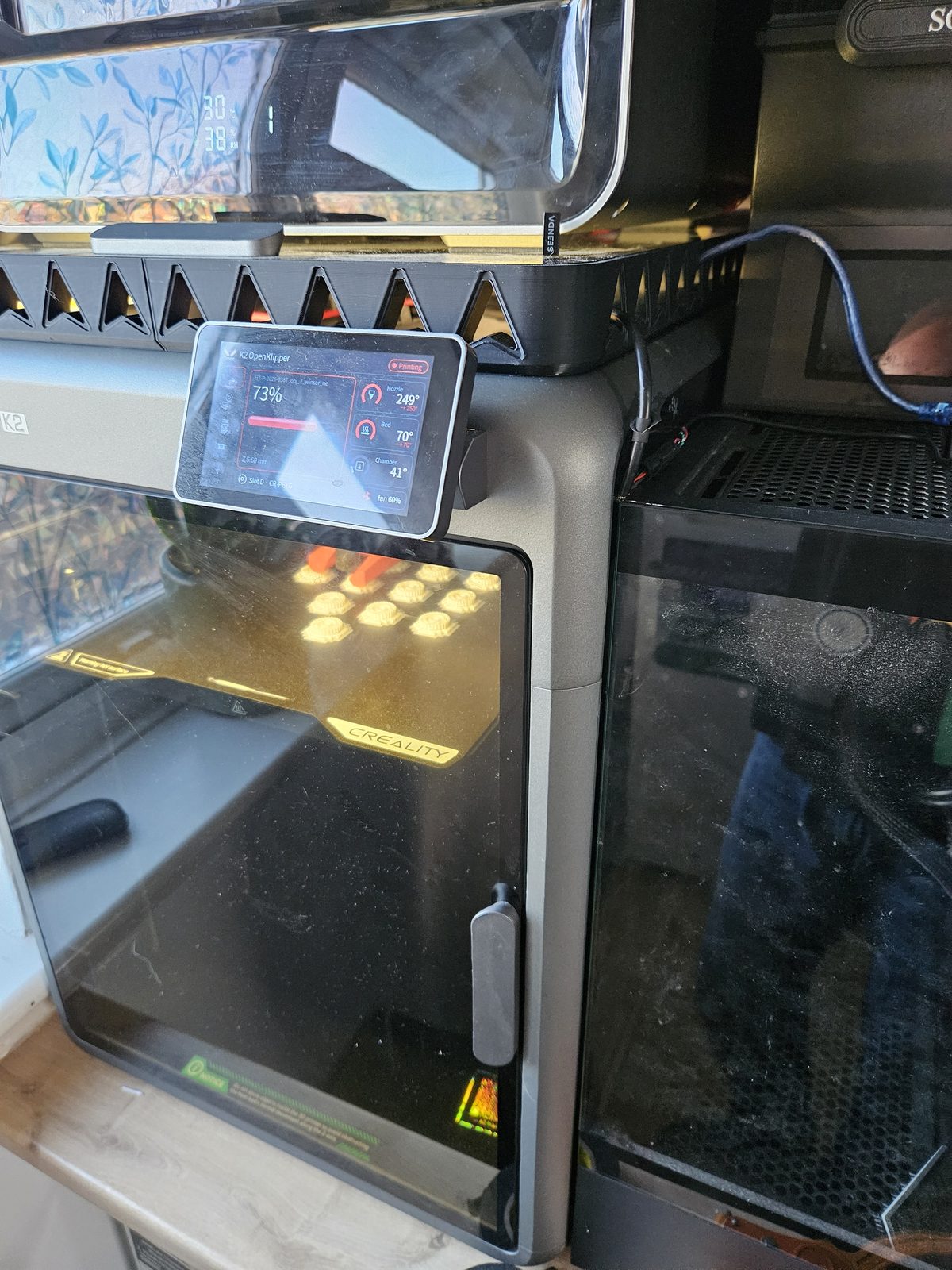
At a glance (checked 27 October 2026)
- What: open-source Klipper for the Creality K2, including the strain-gauge probe, closed-loop motors and CFS.
- Models: K2 and K2 Combo (F021), Creality firmware 1.1.7.0. K2 Pro and K2 Plus untested.
- Install: about 15 minutes over SSH; the installer itself took under 2 minutes in our tests.
- Undo: one command restores stock; nothing is flashed.
- Cost and licence: free, GPL, code on GitHub.
Why we did it
The K2's stock software is a closed fork of Klipper. You cannot see why it does what it does, and you cannot change it. We hit homing errors on the stock firmware that we could not diagnose, and a Creality update wiped our earlier modifications without warning. We wanted a printer we could understand and fix ourselves.
What runs on the printer now
| Part of the printer | What we built |
|---|---|
| Printer control | Upstream open-source Klipper |
| Z probing | Our own driver for the K2's nozzle strain gauge: homing, bed mesh, and a check that rejects a dirty nozzle tap |
| X, Y and extruder motors | The closed-loop motor bus: wake-up, homing, and live readings from each motor |
| CFS | Loading, purging, unloading and colour changes, with each slot's filament stored and shown in the web interface |
| Pressure advance | Measured by the nozzle strain gauge itself, per CFS slot |
| Vibration tuning | Input shaping from the accelerometer in the print head |
| Web interface | Mainsail, with a CFS panel we added |
| Touchscreen | Our own touchscreen app, with the Klipper look by default and your own name, logo and colours if you want them |
| Safety | Pauses if the hotend or part fan stops, cancels on an X/Y motor fault, pauses on an extruder jam |
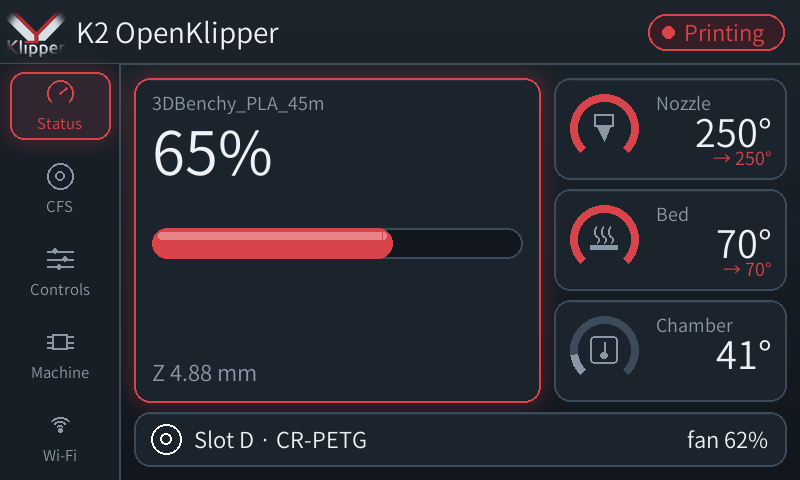
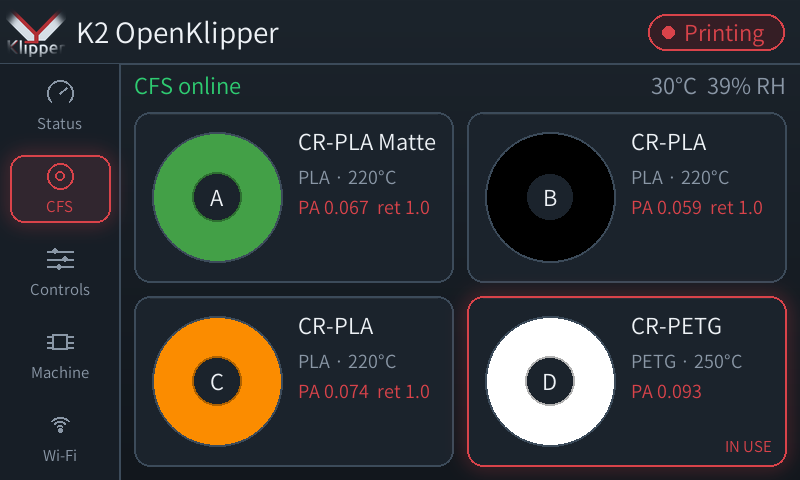
Two things work better than stock:
- Faster, cleaner print starts. One heat-up does the loading, purging, nozzle cleaning and probing, instead of heating, cooling and heating again. That is about 5 minutes quicker than stock.
- Pressure advance from real nozzle pressure. The strain gauge in the nozzle feels the pressure as the flow changes, so the printer measures its own pressure advance for each filament. Creality only offers camera-based flow calibration, and only on the K2 Plus.
And everything is visible: every macro, setting and motor parameter can be read and changed in the browser.
The problem we found this week: first layers lifting
Our first edge-to-edge plate failed on the first layer. The bed mesh matched Creality's own, so the probing was right. The cause was smaller: the K2 measures the bed with the nozzle at 140°C but prints much hotter, and the hot end expands slightly as it heats. Creality's probe settings include a correction for this (0.045). Our open driver read that setting but never used it, so first layers sat a few hundredths of a millimetre too high and peeled up. Adding the same correction fixed it; after a few test prints we settled on 0.04 mm. It is one setting, and you can see and change it.
Make the touchscreen yours
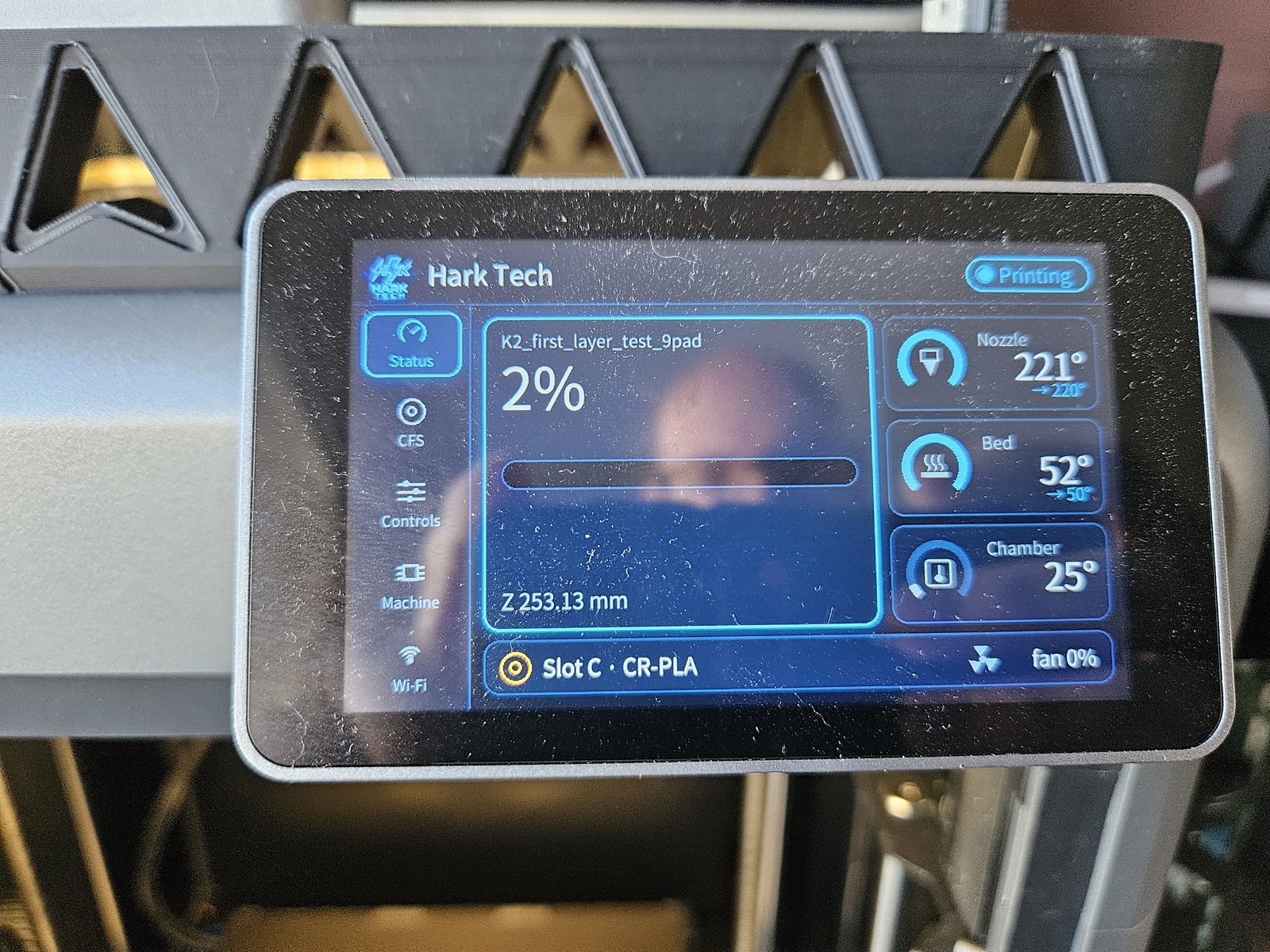
The touchscreen app ships with the Klipper logo and colours. Your own name, logo, colours, font and page order live in one small settings file that you edit in the browser; the screen changes within a second, with no restart. This is the same app with our Hark Tech theme:
Going further: the printer's brain on a separate PC
The K2's built-in computer has two small processor cores, and open Klipper with all of the above used more than one of them while printing. That leaves no headroom: one heavy task at the wrong moment and the printer can lose its place mid-print.
So the K2 can now hand the job to any Linux PC over one USB cable. The K2's own computer just passes messages between the PC and its control boards. Klipper then uses a few percent of the PC. The first long job through the cable, a 7.5-hour print, had zero timing errors. This part is optional and for people comfortable with Linux.
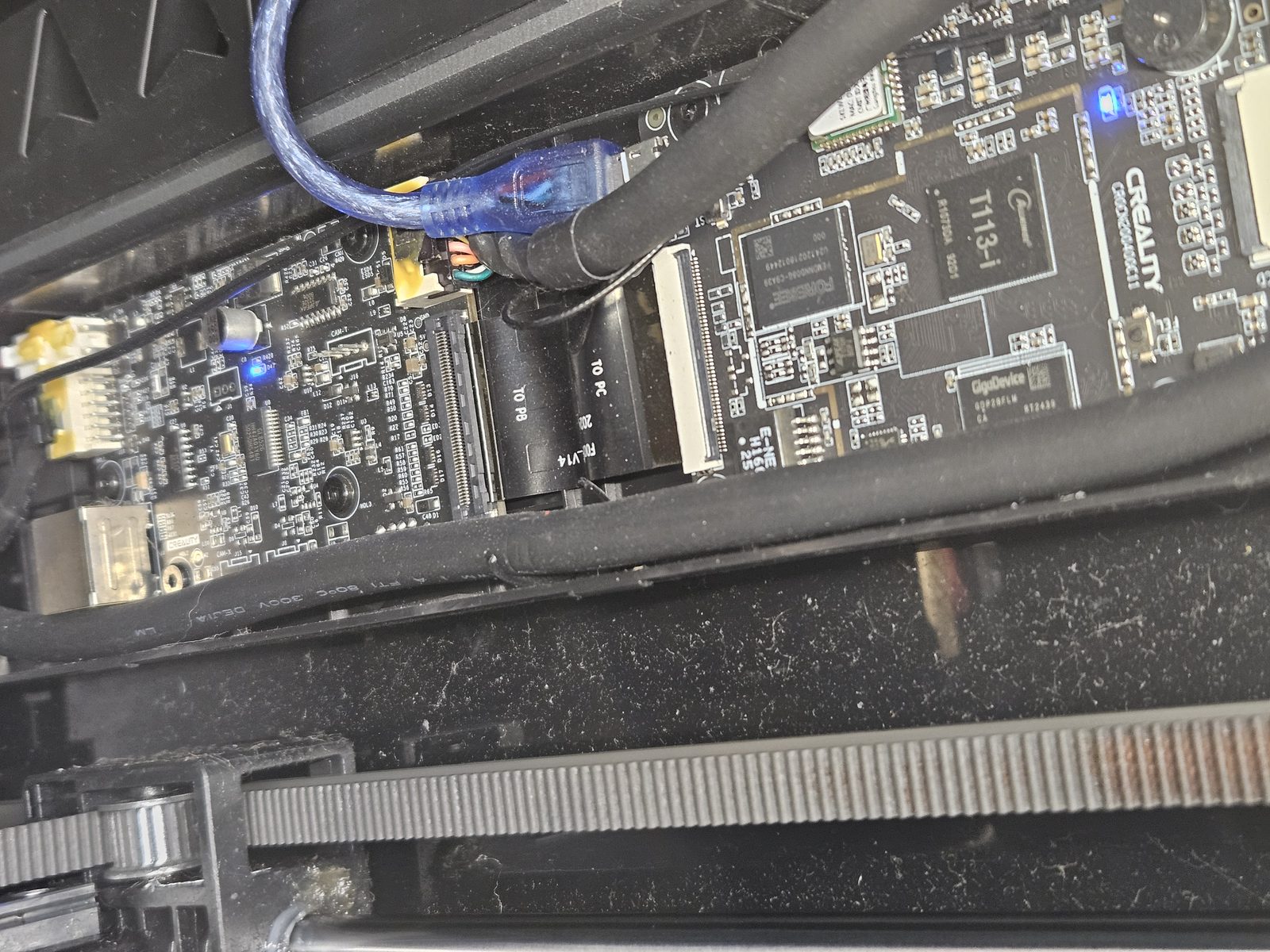
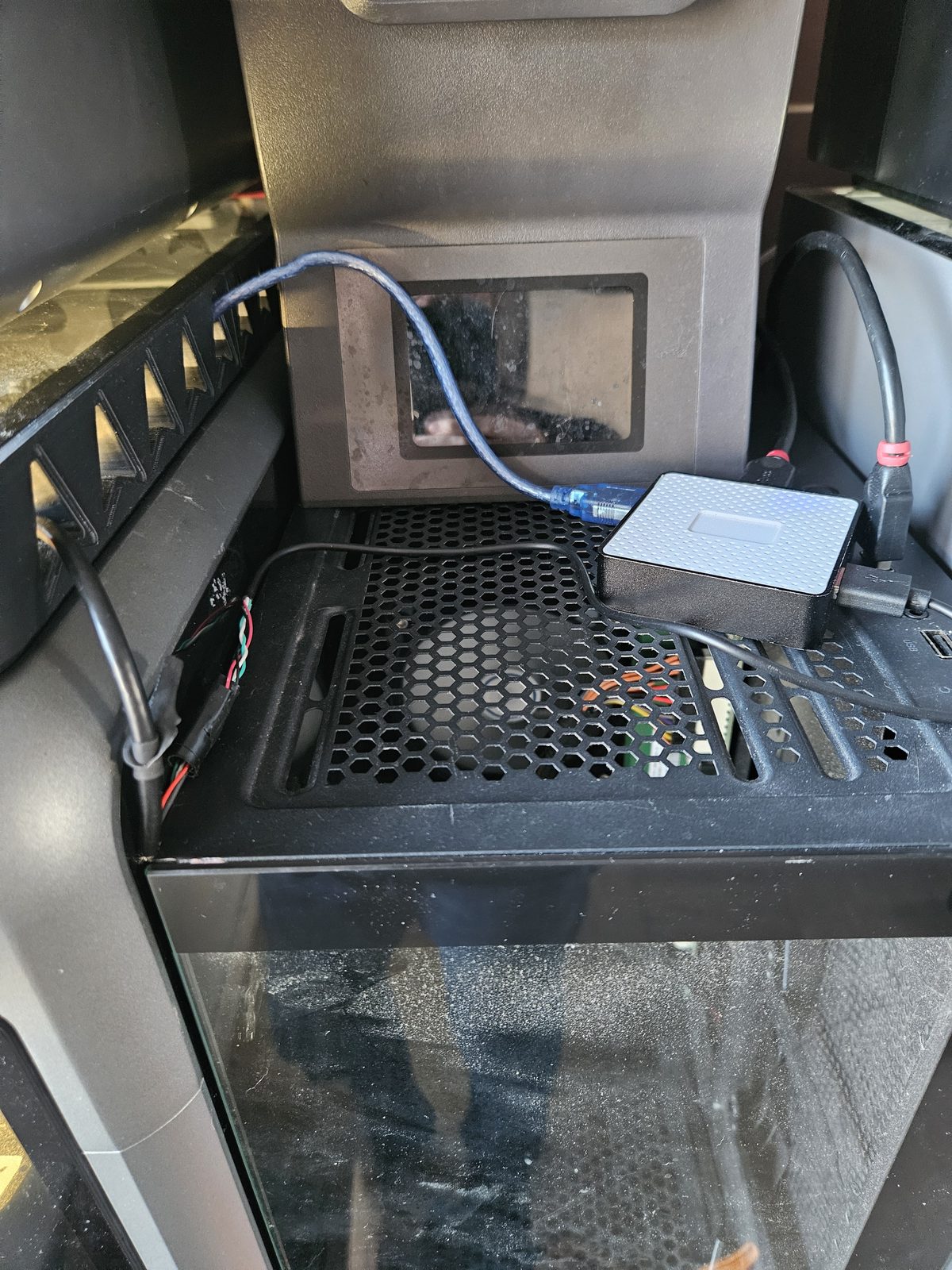
How the separate-PC setup works.
AI that watches every print, on your own PC
With a proper PC next to the printer, we added failure detection that runs entirely at home, with no cloud service:
- A fast check looks at the chamber camera every 10 seconds for the tangled "spaghetti" of a failed print, using Obico's open-source detection model.
- When it raises an alarm, a second AI, a vision model that can describe what it sees, looks at the same picture and decides whether it really is a failure. It also takes its own look every few minutes, to catch problems the first check cannot see, like a part that has come loose.
On real frames from our printer, the vision model confirmed every spaghetti failure and threw out every false alarm the first check had raised. You get an alert with a short description of what the camera saw. It does not pause the printer on its own unless you turn that on. The AI watcher on GitHub.
How to try it
You need a K2 or K2 Combo, the printer on your network, a Windows PC or Mac, and about 15 minutes. In outline:
- On the printer: Settings › Root account information, accept, and note the password it shows.
- Find the printer's IP address under Settings › Network.
- From your computer:
ssh root@<printer-ip>. - Paste one command that checks the printer without changing anything, then run the installer.
- Open Mainsail at
http://<printer-ip>:4409and set up OrcaSlicer with the start code from the guide.
Full step-by-step install guide →
To go back to stock, one command restores every file it changed, then reboot.
Please read before you try it
- It is alpha software, developed and used daily on one K2 Combo on Creality firmware 1.1.7.0. The K2 Pro and K2 Plus are untested.
- It does not flash anything. The printer's control boards keep Creality's firmware, motor settings are only ever written to memory, and the installer backs up every system file before changing it.
- Creality's automatic updates are switched off while it is installed (an update wiped an earlier version). Uninstall first if you want a Creality update.
- Modifying the printer's software may void Creality's warranty. Check your warranty terms before you install.
- This is our own project. It is not made, endorsed or supported by Creality.
Frequently asked questions
Can I install open-source Klipper on a Creality K2?
Yes. K2 OpenKlipper replaces the K2's closed printer software with upstream Klipper plus open modules for the nozzle strain-gauge probe, the closed-loop X, Y and extruder motors and the CFS. An installer sets it up over SSH in about 15 minutes, next to the stock firmware.
Which Creality K2 models does it support?
It is developed and used daily on the K2 and K2 Combo (model F021) on Creality firmware 1.1.7.0. The K2 Pro (F012) and K2 Plus (F008) are untested; the installer stops on them unless you force it.
Can I go back to the stock Creality firmware?
Yes. One command, uninstall.sh, restores every system file the installer changed from its backup, then you reboot. Nothing is flashed: the control boards keep Creality's firmware.
Does it support the CFS multi-colour system?
Yes: loading, purging, unloading and colour changes, with each slot's filament shown and editable in Mainsail and on the touchscreen.
Do I need extra hardware?
No. It runs on the printer's own board. Optionally, Klipper can run on a separate Linux PC connected to the K2's mini-USB port, which frees the K2's small processor.
Does it include AI print-failure detection?
Optionally, on a separate PC: Obico's open-source spaghetti detector every 10 seconds, plus a local vision model (Qwen3-VL) as a second opinion. It runs at home with no cloud service and sends alerts only by default.
Will installing it affect my Creality warranty?
It may. Modifying the printer's software can void Creality's warranty, so check your warranty terms before installing. The installer backs up every file it changes and one command returns the software to stock.
Is it made by Creality?
No. It is an independent open-source project by Hark Tech, a UK 3D printing and repair workshop, licensed under the GPL. It is not made, endorsed or supported by Creality.
Help wanted
If you have a K2 Pro or K2 Plus, or a different firmware version, we would love to hear how it goes. Results, problems and logs are welcome as GitHub issues. Everything is open source under the GPL, so you can read, change and share it.
Hark Tech is a UK 3D printing and electronics repair workshop. The K2 in this article prints our orders every day.