
 K2 Companionby Hark Tech
Your Creality K2,
without Creality Cloud.
Monitor and control your K2 from the sofa or the other side of the country, with no Creality Cloud account and no sign-ins. Live camera, multi-colour CFS mapping, AI failure detection, live tuning and a full Klipper console. One small one-time purchase, no subscription.
One-time £2.39 in the UK. Android phone or tablet. For the Creality K2, K2 Pro and K2 Plus.
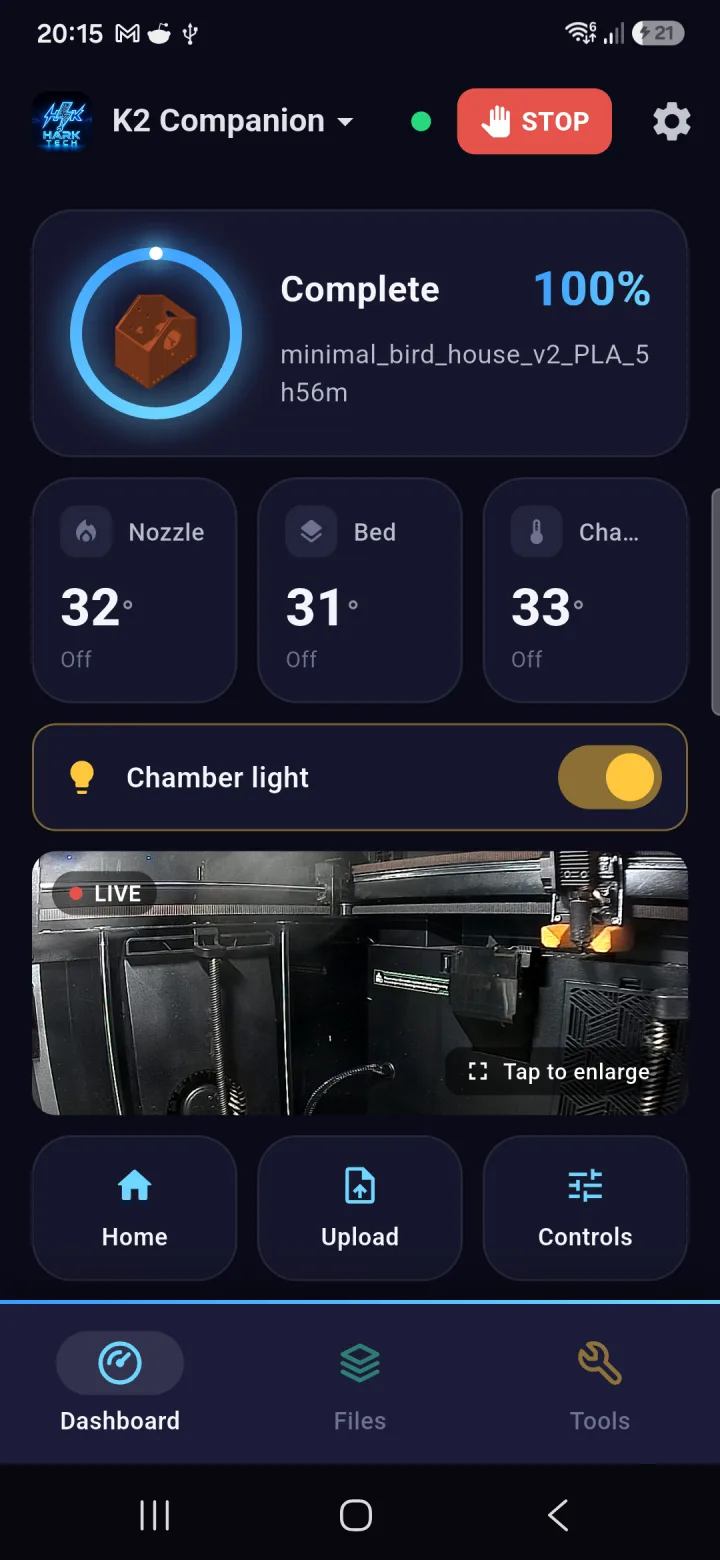 Dashboard
Screenshot coming soon
Dashboard
Screenshot coming soon
- No Creality Cloud account
- No subscription
- One-time purchase
- No data leaves your kit
- Works with stock K2 firmware
Run your K2 without a Creality Cloud account
The stock Creality app wants a cloud account before it shows you your own printer. K2 Companion never asks. It speaks to the K2's own Klipper firmware directly, so your printer works for you, not for someone's server.
No sign-in, ever
No Creality Cloud, no email, no password, no account of any kind. Buy the app, open it, and it finds your printer.
Direct on your Wi-Fi
At home, your phone talks straight to the printer over your own network. It keeps working even if your internet goes down.
Private when you leave
Optional remote access uses an encrypted relay with no port forwarding, so your printer is never exposed to the open internet. Prints pass through, nothing is stored.
Everything the K2 touchscreen does, in your pocket. And then some.
Built by a workshop that runs K2s every day, reverse-engineers their firmware and writes Klipper patches. This is the printer app we wanted and could not buy.
 Remote controlScreenshot coming soon
Watch and run your printer from anywhere
On your home Wi-Fi you get the full local connection. Leave the house and the app switches to a secure relay automatically, both ways, with no port forwarding and no fiddling.
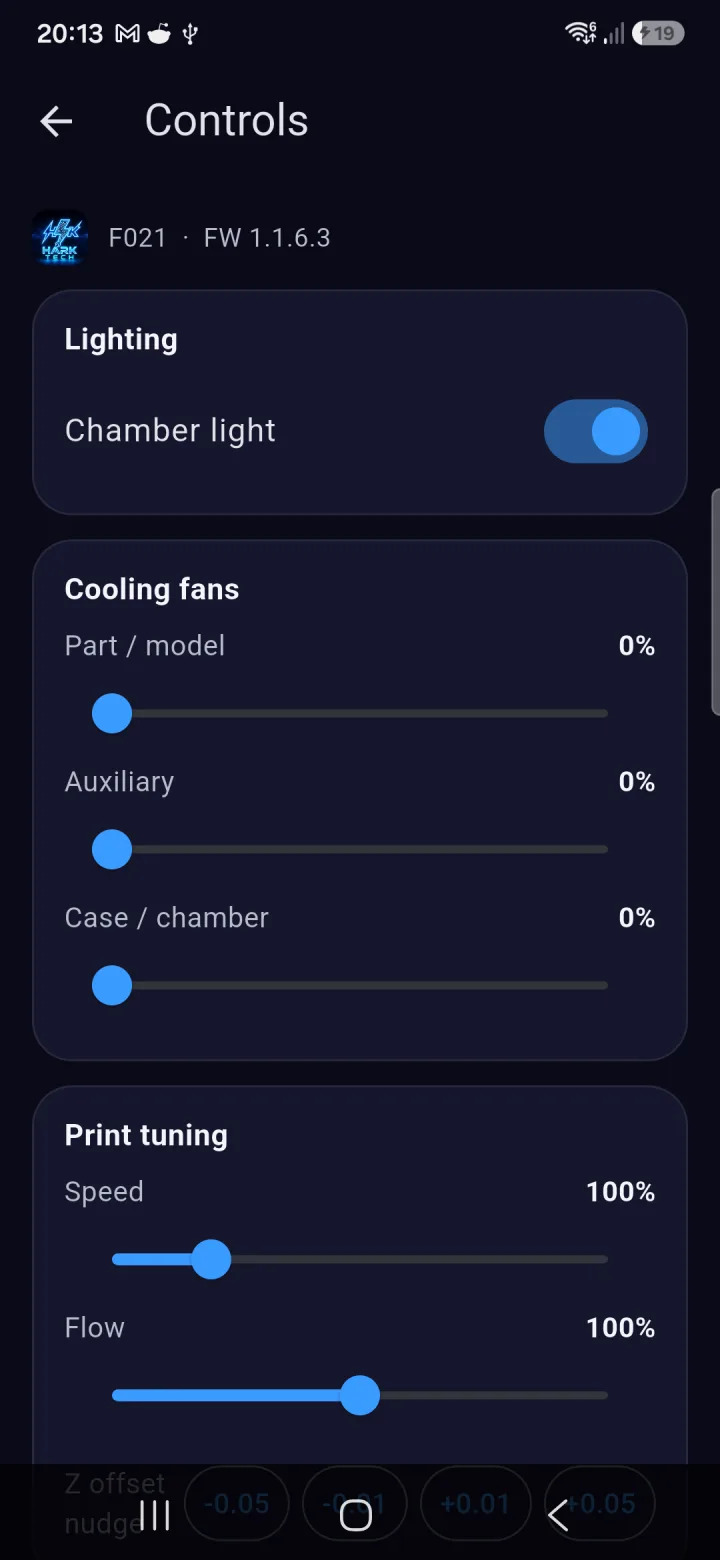
- Live temperatures, progress and full controls
- Automatic switching between home and away
- Pause, resume, stop and home, wherever you are
- Your printer is never exposed to the open internet
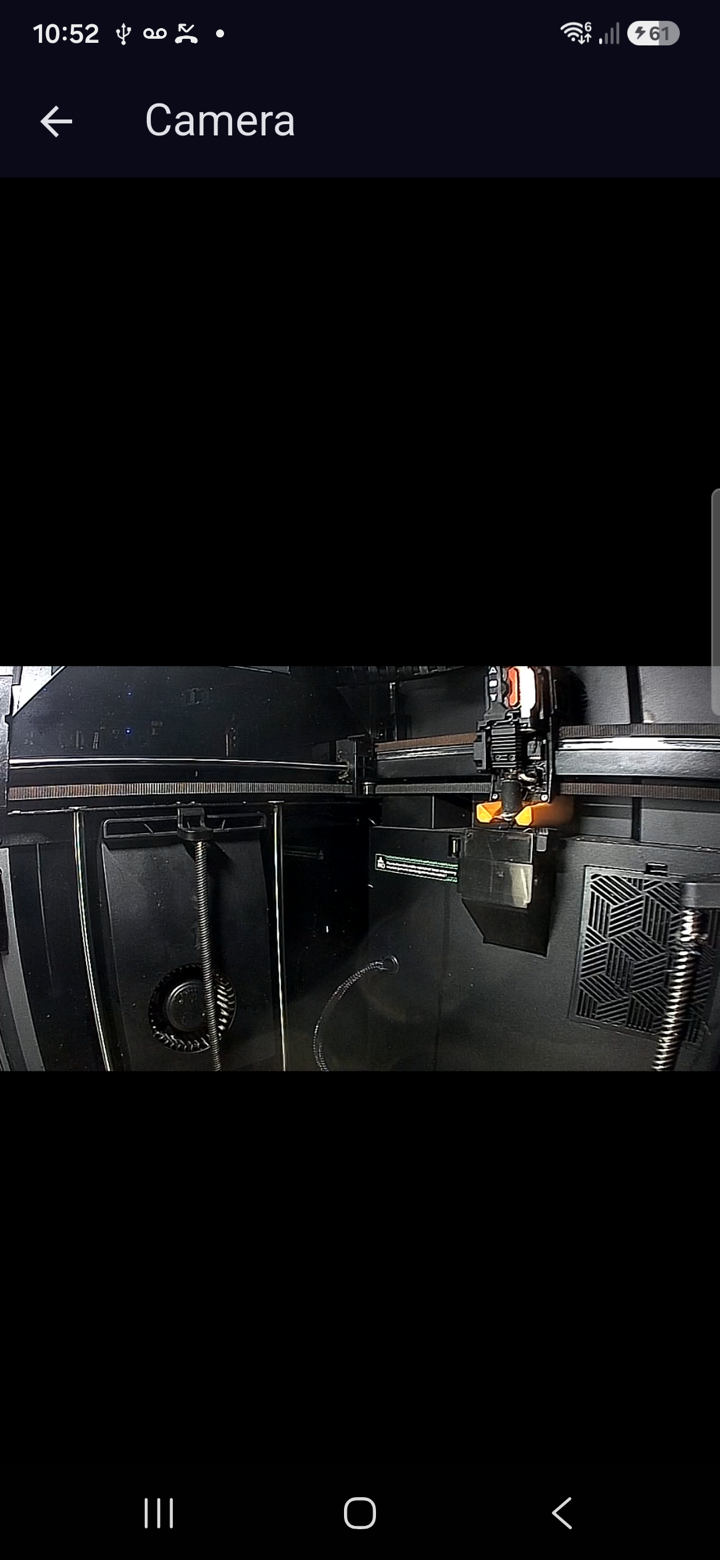 Live cameraScreenshot coming soon
Eyes on the bed, home or away
Stream the printer camera live, on your home network or over the relay. When a print finishes, the alert arrives with a fresh photo of the bed attached, so you know at a glance how it came out.
- Live video on local Wi-Fi and remotely
- A camera snapshot attached to the print-complete alert
- Tap to enlarge from the dashboard
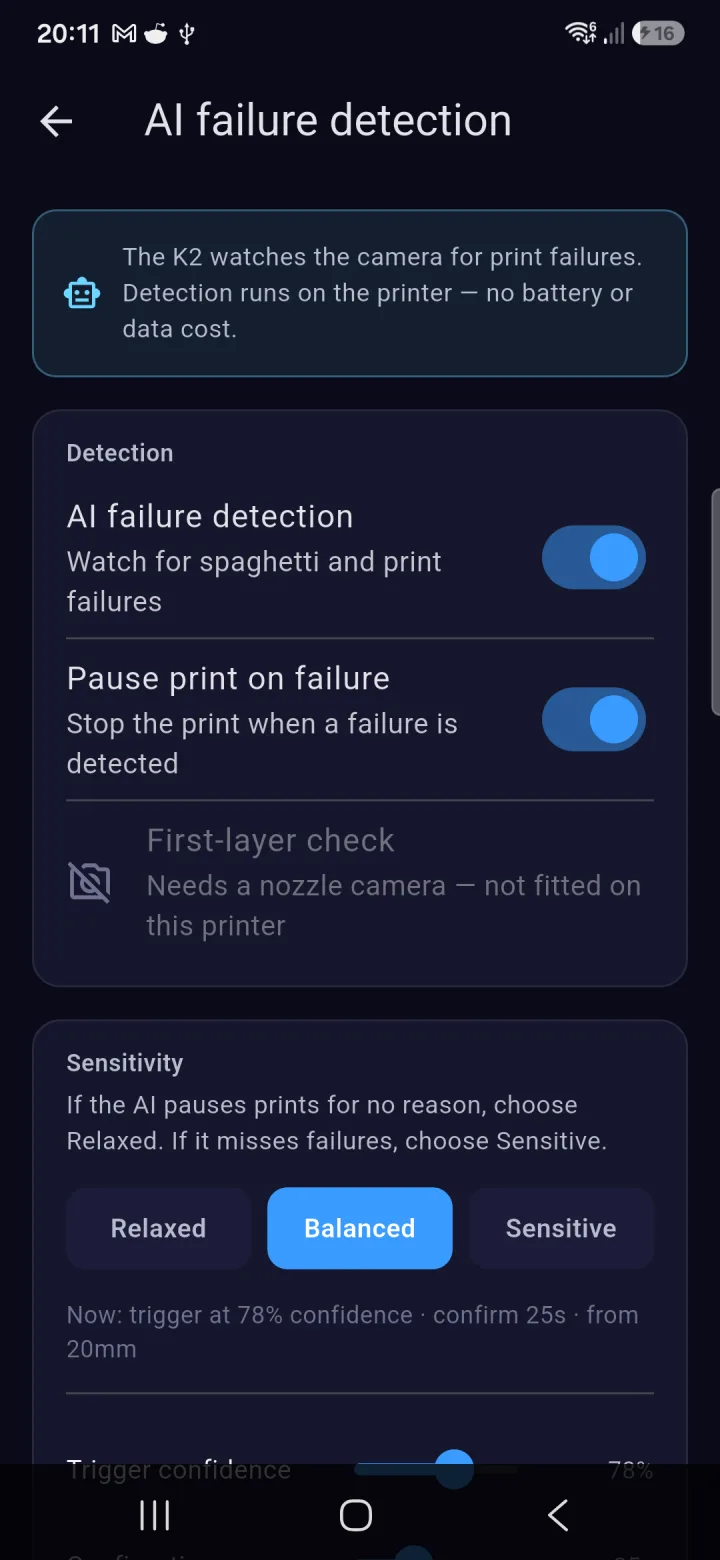 AI detectionScreenshot coming soon
Catch failures before they waste a spool
Drive and fine-tune the K2's own on-printer AI failure detection from the app, with sensitivity presets and live sliders. It runs on the printer itself, so there is no cloud bill and nothing draining your phone battery.
- Turn detection on or off and tune its sensitivity
- First-layer checks gated on the nozzle camera
- An enriched alert with a photo when it pauses a print
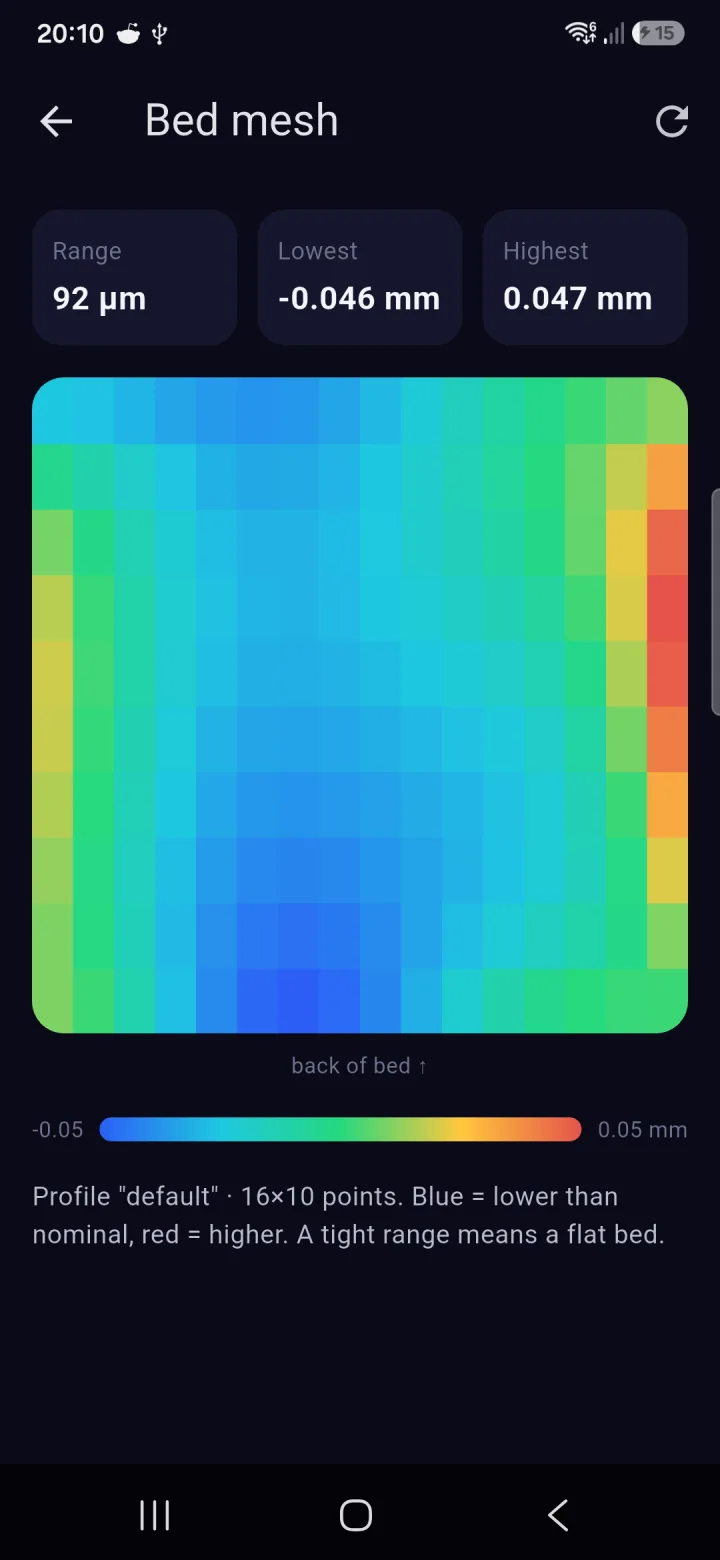 Bed meshScreenshot coming soon
See every high and low spot on your bed
Your loaded Klipper bed mesh, drawn as a colour heatmap with the range, highest and lowest points called out. One glance tells you whether the bed is flat or needs a tram.
- Blue-to-red topology map, straight from Klipper
- Range, high and low points at a glance
- Read-only, works on home Wi-Fi and over the relay
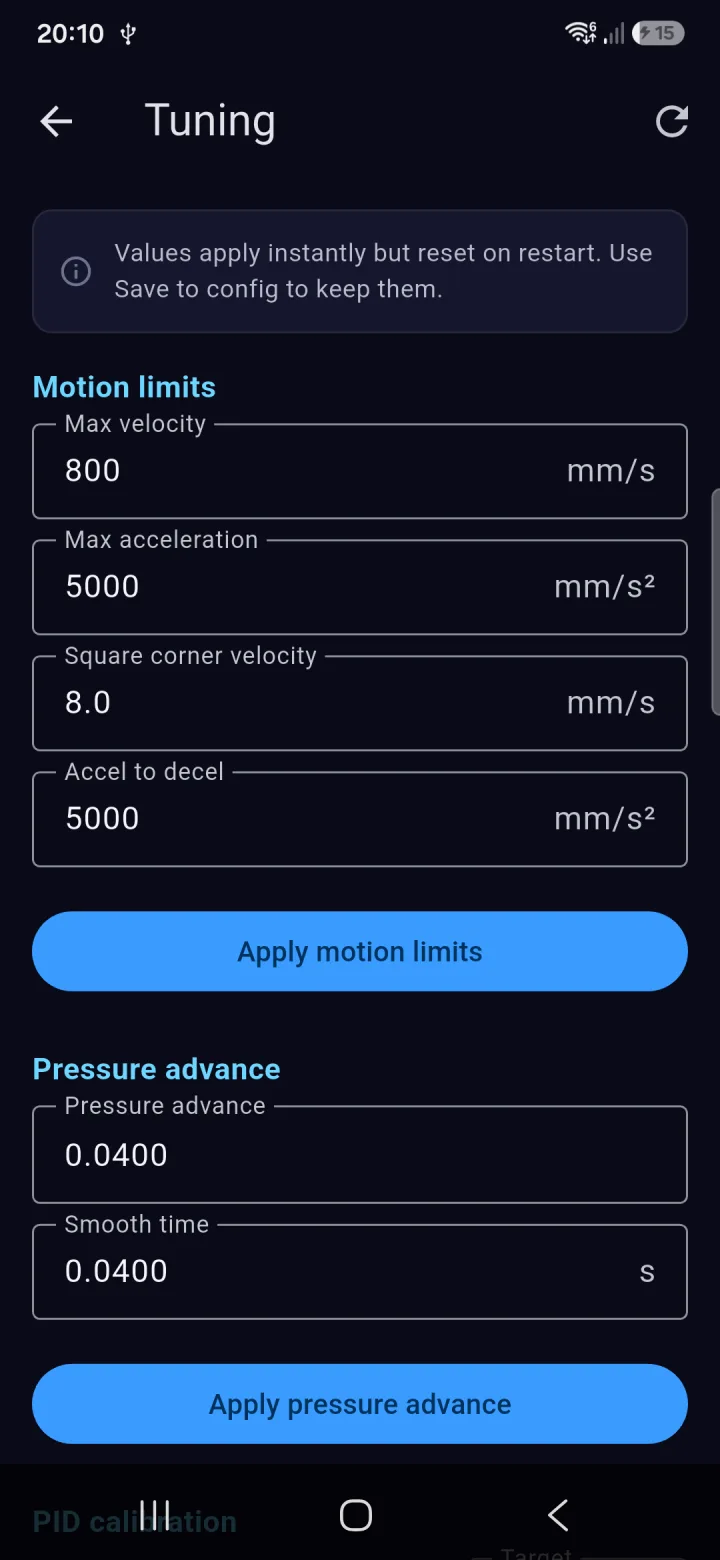 Live tuningScreenshot coming soon
Tune Klipper live, no config digging
Adjust motion limits, pressure advance and smoothing while the printer runs, and kick off PID calibration from the sofa. Values apply instantly, and you can write them to the config when you are happy.
- Velocity, acceleration and corner limits with instant apply
- Pressure advance and smooth time
- Guided PID calibration with save to config
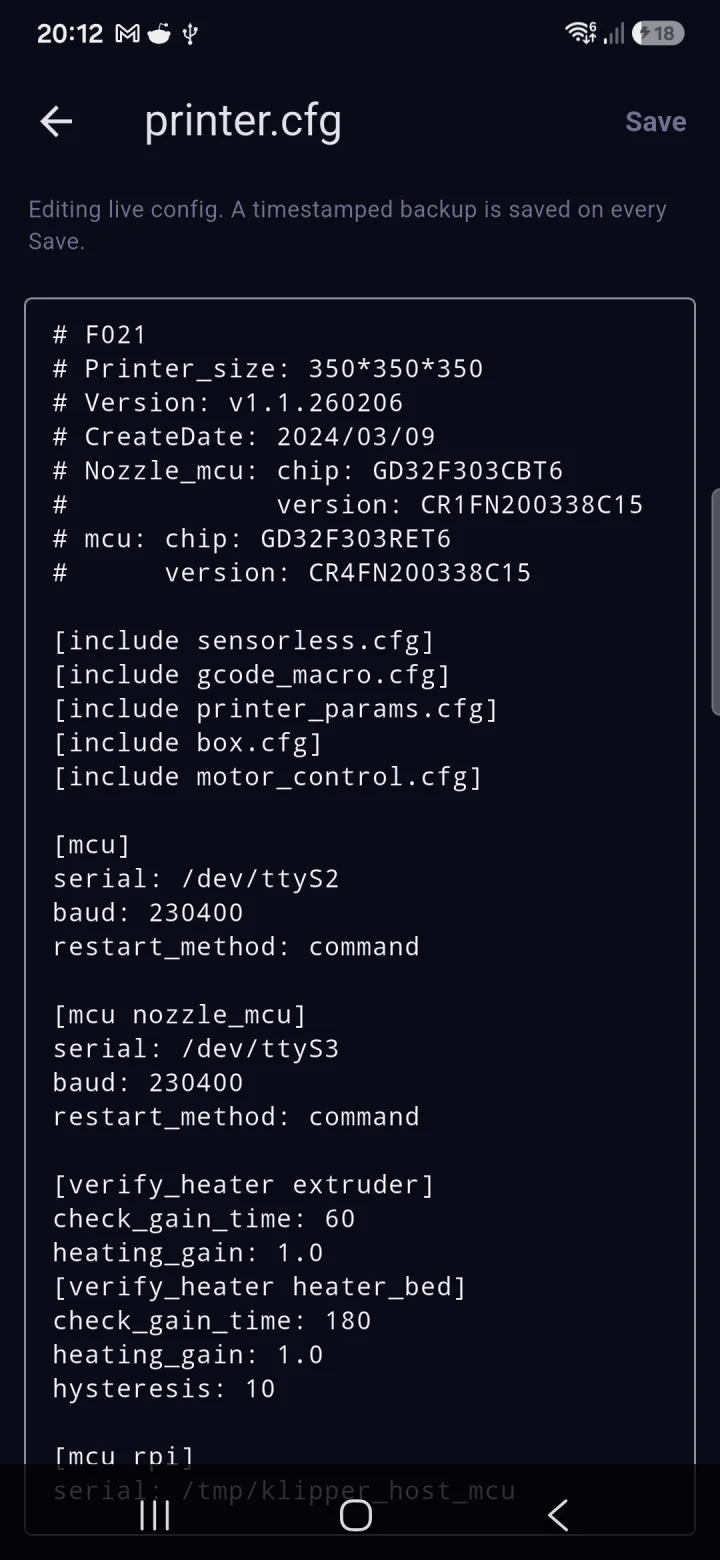 Config editorScreenshot coming soon
Edit printer.cfg from your phone
A full Klipper config editor built in. Every save writes a timestamped backup on the printer first, so you can experiment without fear, then restart the firmware in a tap.
- Every config file on the printer, listed and editable
- Automatic timestamped backup before every save
- Whole-config backup to your phone with change detection
A proper Klipper toolkit, not a watered-down remote
Bed mesh heatmap
See your loaded bed mesh as a colour topology map with range, high and low points. Read-only, works over the relay too.
File browser
Browse your G-code with thumbnails, then start or delete a print from your phone. Newest first, with pull to refresh.
G-code & Klipper console
Send G-code and macros, watch Klipper responses stream live, with quick-command chips. Full console access in your pocket.
CFS filament control
Set the material, type and colour on each CFS slot from a live catalogue, the way the touchscreen does, with a searchable picker.
Multi-colour mapping
Printing a multi-colour file from the printer? Pick which loaded CFS slot prints each colour, no re-slicing needed.
Cancel objects
One part fails on a full plate? Tap it on a live map of the bed and the printer skips it, while everything else keeps printing.
Multi-printer fleets
Add every K2 you own and swap between them. Remote access for your first printer is included; a one-time unlock covers the whole fleet.
Config backup & restore
Back up your whole Klipper config to your phone over SSH, with change detection so you always know what moved before you restore.
Reliable alerts
Print-complete and failure notifications that survive overnight, even with aggressive battery saving, so you never miss the moment it finishes.
Find your K2
Scan your network and the app finds the printer for you, or enter the IP by hand with validation so you never hit a silent dead end.
Chamber light
Toggle the chamber light right from the home screen, on local Wi-Fi or remotely, with the state kept in sync with the printer.
Printing from your phone in five minutes
No account to create, no cloud to join, no port forwarding to wrestle. Buy it once and it is yours.
Get it on Google Play
One-time £2.39 in the UK, local pricing elsewhere. Install K2 Companion on your Android phone or tablet.
Connect on your Wi-Fi
Open the app at home and it scans your network and finds the K2 for you. No sign-in, no pairing codes.
Remote access in a tap
Want to check prints from work? Turn on remote access once and the app switches between home and away automatically.
Print with confidence
AI failure detection watches the bed, and the finished-print alert arrives with a photo attached, wherever you are.
Release notes & updates
The app is moving fast. Here is what has landed so far.
- K2 Companion is out of beta and live on Google Play
- CFS multi-colour filament mapping when printing from the printer
- Cancel a single failed object while the rest of the plate keeps printing
- Live Klipper tuning: motion limits, pressure advance and PID calibration
- Klipper config editor with automatic timestamped backups
- Redesigned navigation with Dashboard, Files and Tools tabs
- Multi-printer support with an optional one-time fleet unlock
- Faster, lower-latency remote camera
- Security hardening throughout, including encrypted-only remote connections
- AI print-failure detection: drive and fine-tune the K2's on-printer AI
- New G-code and Klipper console
- A camera snapshot attached to the print-complete alert
- More reliable notifications, including overnight on battery-saving phones
- Automatic switching between home Wi-Fi and remote, both ways
- Find your K2 on the network, plus manual IP validation
- Settings moved to their own page, with interface polish
- Redesigned dashboard with chamber light and a mini live webcam
- CFS filament material, type and colour control
- Klipper config backup and restore with change detection
- Live webcam while away from home, over the relay
- Send feedback from inside the app
- First release: remote monitoring and control of the Creality K2
- Bed mesh heatmap
- File browser with thumbnails
- In-app SSH access and live temperatures
Questions
Do I need a Creality Cloud account?
No. K2 Companion never asks you to sign in to Creality Cloud or create any account. On your home Wi-Fi the app talks to the printer directly, and optional remote access uses a private relay with no sign-in either.
Which printers does it work with?
The Creality K2 and K2 Plus are both confirmed on real printers. The K2 Pro runs the same firmware family, so it is expected to work too. Broader Klipper support is on the roadmap.
How much does it cost?
A one-time £2.39 in the UK, with local pricing elsewhere. No subscription, no ads, no account. Remote access for your first printer is included, and an optional one-time fleet unlock adds remote access for additional printers.
Is there an iPhone version?
Not yet. The app is Android only for now. If there is enough interest an iOS version may follow later.
How does remote access work, and is it private?
On your home network the app talks to the printer directly. Away from home it uses a secure relay so nothing is exposed to the open internet and no port forwarding is needed. Your print data is not stored on our servers, it only passes through.
Is it safe for my printer?
Yes. The risky stuff is deliberately left out. Firmware flashing is disabled, and destructive actions are confirmed and gated while the printer is busy.
Your printer. Your network. Your app.
Built by a UK repair workshop that runs K2s every day. One-time £2.39, no account, no subscription, and it is yours forever.

When the K2 Plus camera stops working
The most common cause of a K2 Plus camera drop-out is the Creality Cloud relay timing out, not a hardware fault. If the feed drops intermittently while the printer itself keeps running, the cloud relay is usually to blame. Running without a Creality Cloud dependency removes that single point of failure, which typically fixes the drop-out without you touching the printer.
If the camera fails on every connection method, it is worth checking the physical ribbon cable, it can loosen after the printer has been moved. A failed camera module is less common, but it does happen. If reseating the cable does not fix it, that needs workshop attention.
CFS colour-mapping fix on the K2 Plus
CFS sync errors usually come from a slot mismatch, what the slicer sent does not match what the printer loaded. The live CFS view lets you catch that before the wrong colour starts printing. The Klipper console lets you inspect the filament state directly and correct it mid-job, without aborting the print.
If the CFS hub motor has failed or the filament path is physically jammed, no remote tool will fix that. Those are mechanical faults that need hands-on diagnosis and usually a replacement part.
What remote monitoring fixes and what needs the workshop
Cloud relay problems, firmware glitches, mapping errors, and early print failures caught by AI detection, all of those are fixable through monitoring and remote access. Physical damage is not. If your K2 Plus has a hardware fault that a software fix cannot resolve, mail it in and we will take a look.
How much does K2 Companion cost?
It is a one-time purchase on Google Play. No subscription, no recurring fee. Check the Play Store listing for the current price in your region.
Frequently asked questions
Why does my Creality K2 Plus camera keep disconnecting?
The most likely cause is the Creality Cloud relay dropping the stream, not a camera hardware fault. If the feed is unreliable while the printer keeps printing, the cloud layer is usually the problem. If the camera fails on every connection method, check the physical ribbon cable inside the printer, it can loosen after the printer has been moved.
How do I fix CFS colour-mapping errors on a K2 Plus?
Slot mapping errors usually mean a mismatch between what the slicer sent and what the printer loaded. Check your slicer's filament slot assignments first. If the CFS hub motor has failed or the filament path is physically jammed, that is a mechanical fault and needs hands-on diagnosis rather than a settings fix.
How much does K2 Companion cost?
It is a one-time purchase on Google Play with no subscription fee. The exact price varies by region. Check the Play Store listing for the current figure in your currency.
Can I monitor my K2 Plus without a Creality Cloud account?
Yes. K2 Companion does not require a Creality Cloud account or any sign-in. You get live camera, CFS mapping, AI failure detection and a Klipper console without a Creality login.
My K2 Plus camera is completely dead, is it a hardware fault?
If the camera fails on every connection method, not just through the Creality app, it is likely a hardware issue rather than a cloud or software problem. Common causes are a loose ribbon cable or a failed camera module. If reseating the cable does not fix it, mail it in for a diagnosis.